
The builder programme is not the team’s work plan
Import the client programme, identify the activities your team owns and turn them into an internal work schedule and short-term lookahead.
Give office and site teams one connected view of projects, tasks, workforce, programme, diary, meetings, correspondence, variations and defects—so delivery evidence stays attached to the commercial issue it affects.
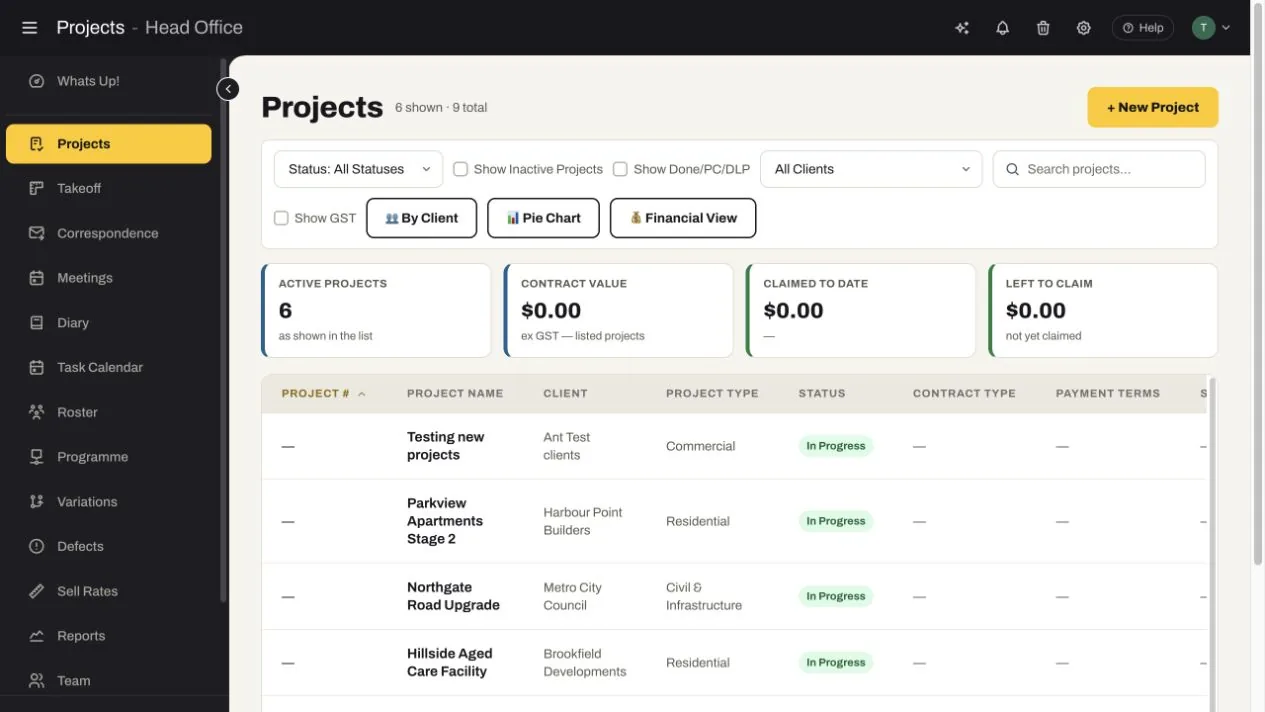
SubbieTRAC keeps the project, responsible people, delivery plan, daily evidence and formal correspondence connected—so a site issue can become a task, RFI, variation or defect before its impact is forgotten.
Import the client programme, identify the activities your team owns and turn them into an internal work schedule and short-term lookahead.
Tasks, meetings, diary logs, photos and workforce allocation need shared project, owner and date context to be useful.
RFIs and instructions need status, discipline, responsibility, due dates, responses and a route back to the affected takeoff or project evidence.
Use different operational views without creating disconnected records: tasks, diary entries, meetings, correspondence, variations and defects all retain their project context.
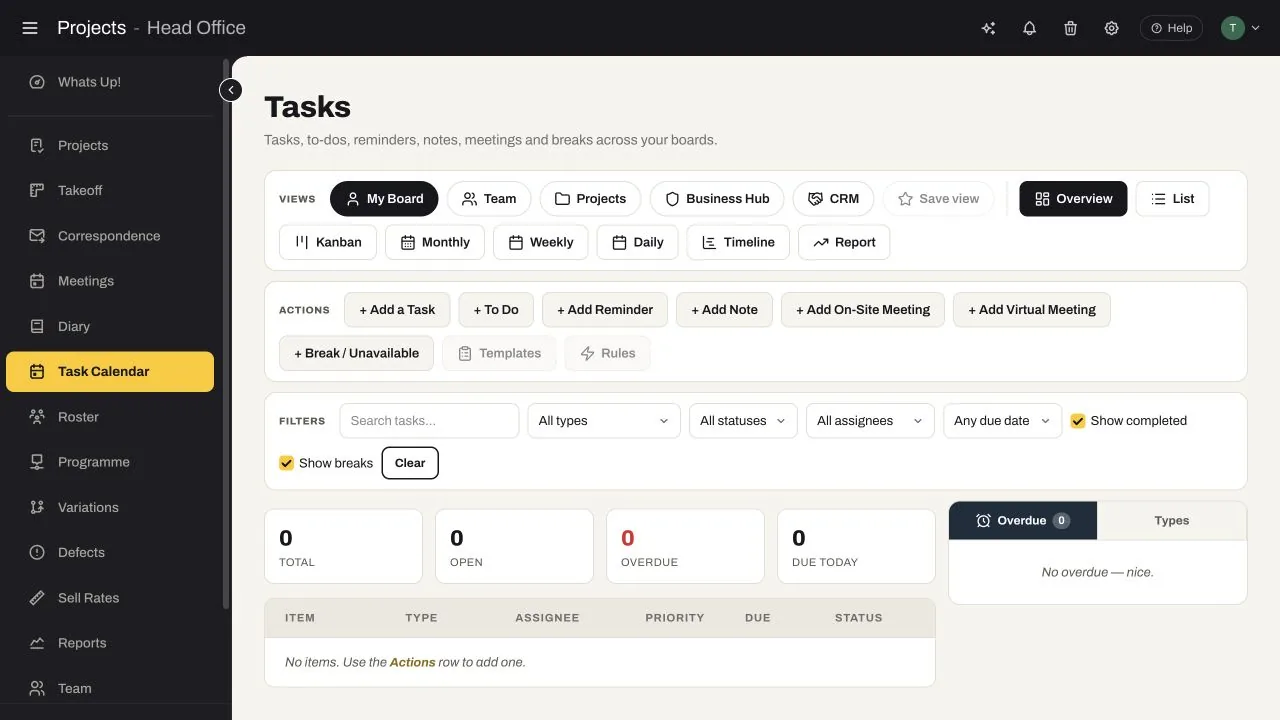
Create tasks, to-dos, reminders, notes, on-site meetings, virtual meetings and unavailable periods from one planning surface.
The same action can be reviewed by assignee, project, status, priority or due date instead of being recopied into a separate meeting list.
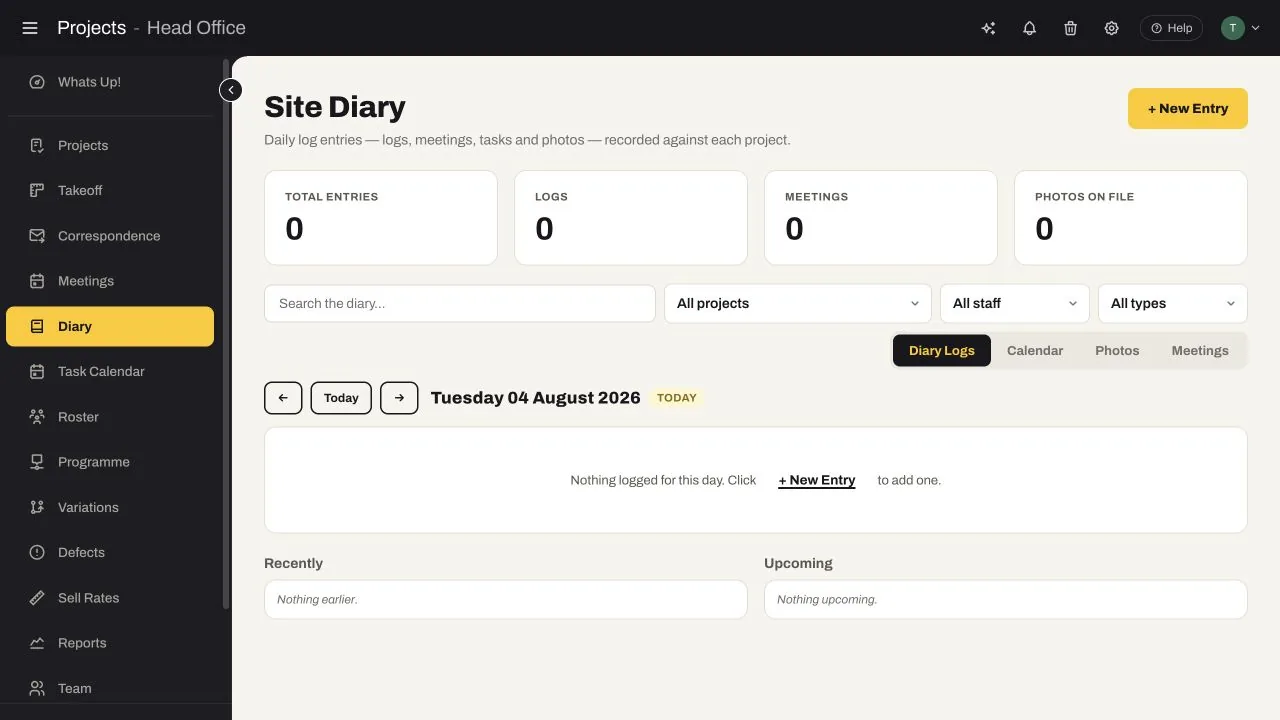
The site diary records logs, meetings, tasks and photos against each project. Search by project, staff member or entry type, then review diary, calendar, photo and meeting views by date.
Maintain on-site and virtual meetings, toolbox talks and site coordination minutes, with upcoming and historical records filtered by project and date.
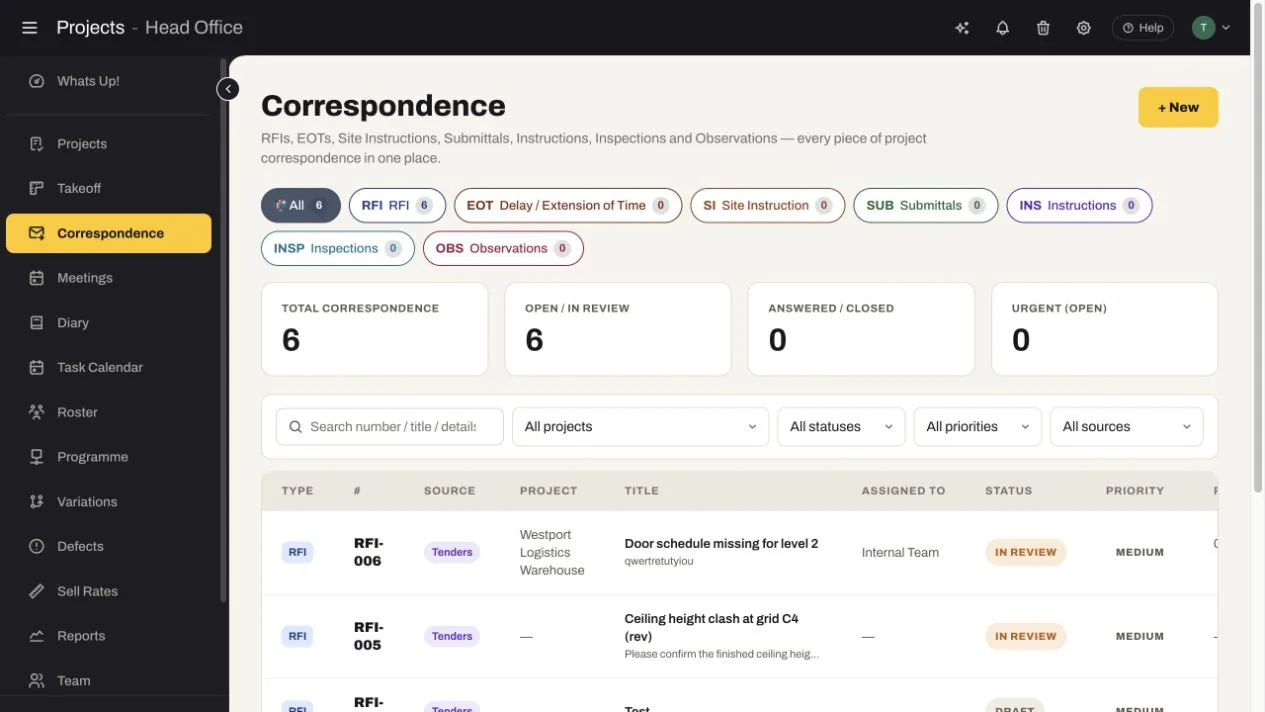
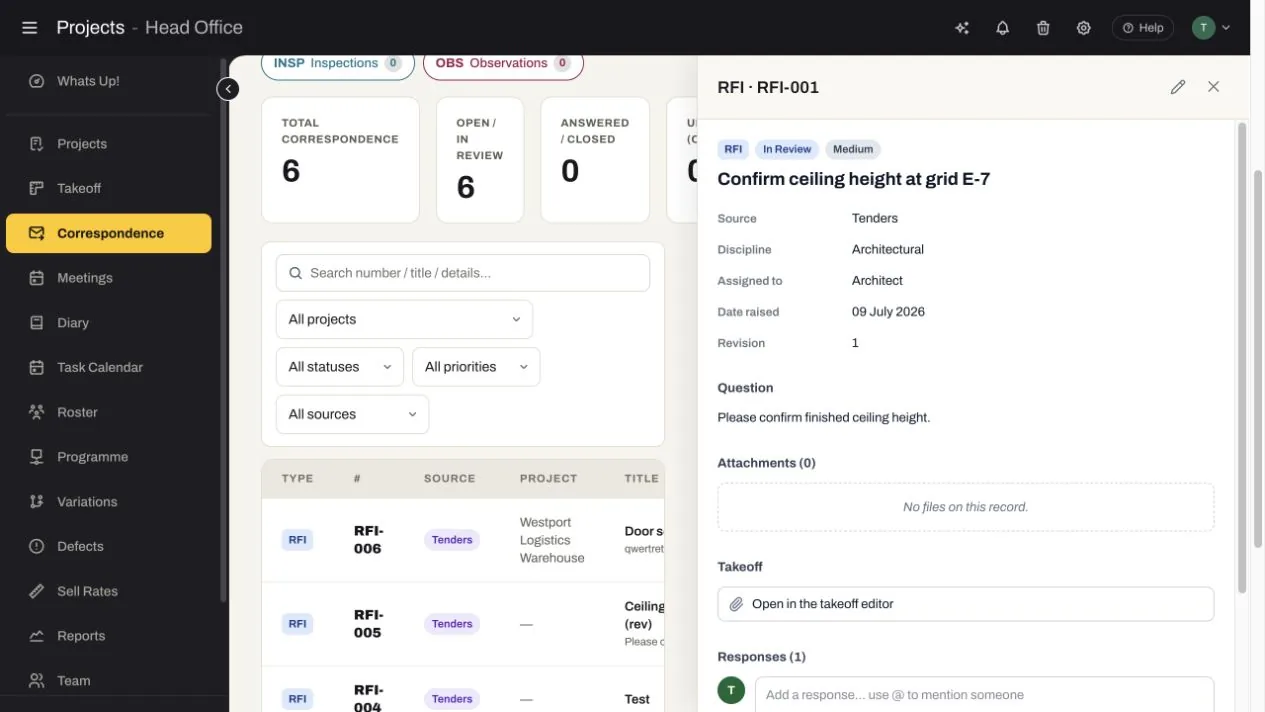
Filter correspondence by project, status, priority and source. The register exposes responsibility, response activity and links back to the originating takeoff when the issue began on a drawing.
Records raised in Tenders, Project Management or Contracts Admin appear with their source visible, giving the team one history instead of three competing registers.
The RFI record retains status, discipline, assignee, date raised, revision, attachments and response thread. Users can add images, video, audio, PDFs, voice notes and links, or reopen the issue in the takeoff editor.
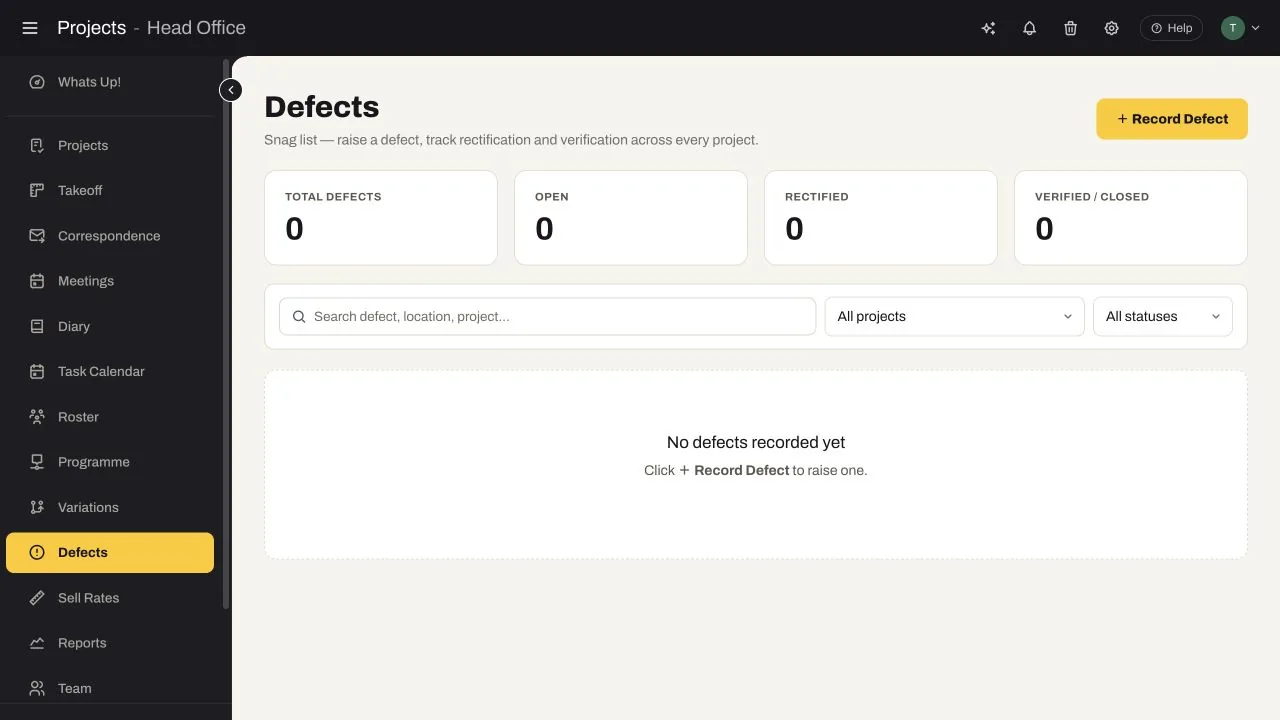
Each capability was verified in the live Project Management workspace and shares project context across office, site and commercial teams.
Filter active projects by status and client, then switch between client, chart and financial views.
Import the client programme, identify your team’s activities and build an internal work schedule and short-term lookahead.
Coordinate tasks, reminders, meetings and unavailable time, then schedule team members by project and day.
Capture daily logs, tasks, meetings and photos, including toolbox talks and site coordination minutes.
Manage RFIs, EOTs, site instructions, submittals, inspections and observations with status, priority and response history.
Keep project changes and day labour visible beside the delivery records that explain the entitlement.
Search and filter defects across projects, then track each item from open through rectified and verified/closed.
Report on project status, clients, payment ratings, variations and RFI status, with export and print controls.
The module guides the work through a repeatable sequence while keeping its tender, project and commercial context attached.
Set responsibilities, programme, work fronts and controls.
Coordinate tasks, labour, material and information needs.
Capture site progress, events, evidence and decisions.
Act on changes, delays, defects and overdue responses.
Understand the likely delivery and commercial outcome.
Coordinate work, records and commercial actions around one project plan.
See priorities and capture progress, events, photos and defects from the work front.
Connect site events and instructions to notices, variations and claims.
Move information forward instead of rebuilding it at every stage.
Walk through your tender, project and commercial process with us and identify where disconnected information is exposing time, cost or margin.